在 MATLAB 中当前打开的目录下,创建 sl_customization.m:
function sl_customization(cm)
  cm.addCustomMenuFcn('Simulink:ContextMenu', @getMyMenuItems);
end

function schemaFcns = getMyMenuItems(callbackInfo)
  schemaFcns = {@getItem1};
end

function schema = getItem1(callbackInfo)
  schema = sl_action_schema;
  schema.label = 'Custom item';
  schema.userdata = 'Custom item';
  schema.callback = @myCallback1;
end

function myCallback1(callbackInfo)
  disp(['Callback for item ' callbackInfo.userdata ' was called']);
end
然后在 MATLAB 中运行一次:
run_refresh_customization.m
sl_refresh_customizations
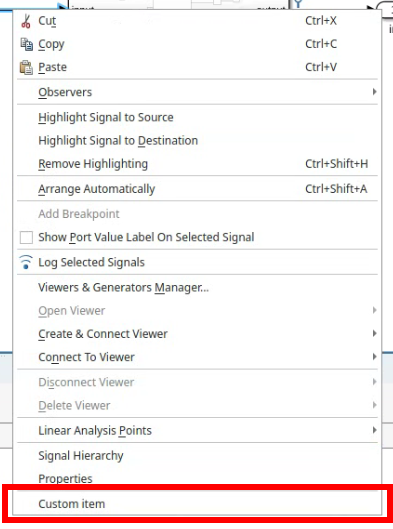
在 Simulink 中,这会在右键菜单中添加 Custom item 项:
If this post helped you, please consider buying me a coffee or donating via PayPal to support research & publishing of new posts on TechOverflow
