
如何在不使用 sudo 的情况下构建和安装 Python 3.13
首先,下载 Python 3.13.0。你也可以从主下载页面选择其他版本。
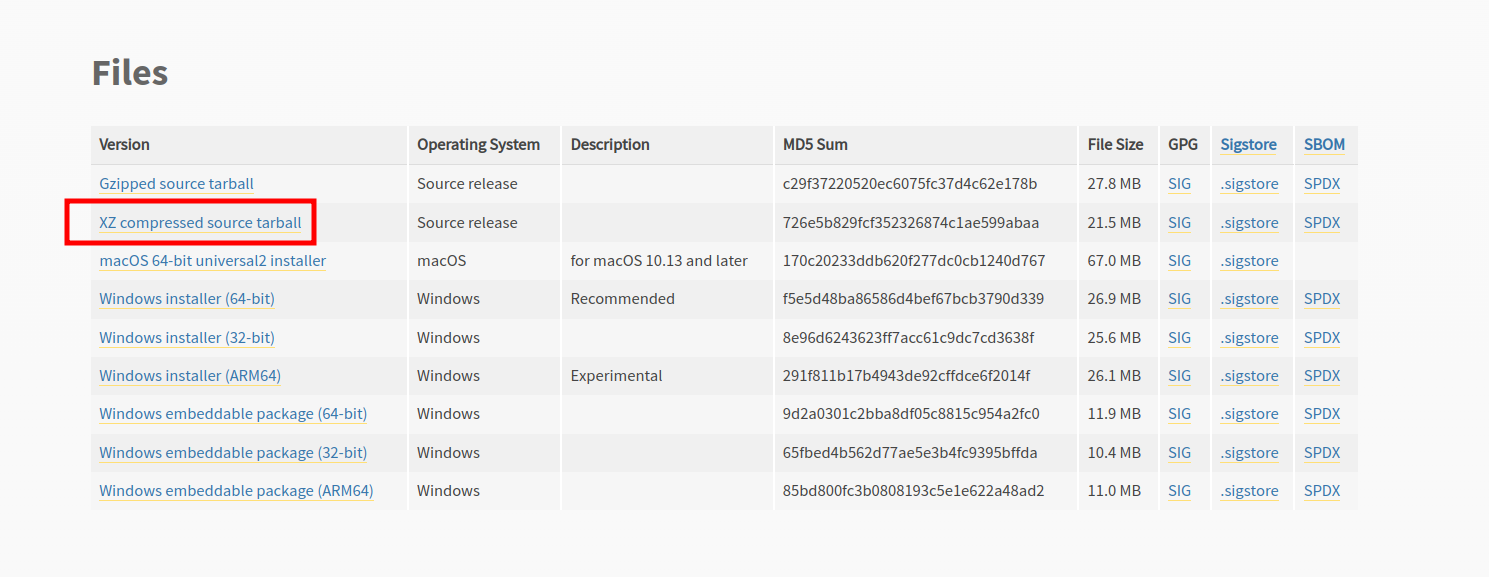
在页面上向下滚动。我建议选择 XZ compressed source tarball。
现在解压并构建。
build_python.sh
tar xvf Python-3.13.0.tar.xz
cd Python-3.13.0
./configure --enable-optimizations --prefix=$HOME/usr
make -j$(nproc) install这将安装到 $HOME/usr。你可以将其更改为你喜欢的任何其他位置。使用 $HOME/usr 时,头文件将安装在 ~/usr/include,库文件在 ~/usr/lib 等。
为了使用 ~/usr 中的 Python,你需要在 .bashrc 或 .zshrc 中添加以下内容:
python_env_vars.sh
export PATH=$HOME/usr/bin:$PATH
export PYTHON_ROOT=~/usr
export PYTHON_VERSION=3.13
export LD_LIBRARY_PATH=~/usr/lib:$LD_LIBRARY_PATH记住将 3.13 替换为你安装的实际版本。
然后运行 source ~/.bashrc 或 source ~/.zshrc。
If this post helped you, please consider buying me a coffee or donating via PayPal to support research & publishing of new posts on TechOverflow