
Wie man PlatformIO behebt: 'Can not find working Python 3.6+ interpreter' auf Linux
Problem:
Beim Versuch, PlatformIO in Visual Studio Code zu öffnen, sehen Sie die folgende Fehlermeldung:
error.txt
PlatformIO: Can not find working Python 3.6+ Interpreter. Please install the latest Python 3 and restart VSCode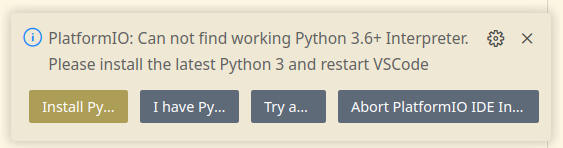
obwohl Sie Python3 bereits installiert haben.
Lösung
Das Problem hier ist nicht, dass PlatformIO Python 3 nicht finden kann, sondern dass Sie venv (virtuelle Umgebungen) nicht für Ihre Python-Version installiert haben!
Auf Ubuntu/Debian können Sie es installieren mit
install_venv.sh
sudo apt -y install python3-venvAlternativ können Sie es mit pip installieren:
install_virtualenv.sh
pip install virtualenvCheck out similar posts by category:
PlatformIO, Python
If this post helped you, please consider buying me a coffee or donating via PayPal to support research & publishing of new posts on TechOverflow